We’ve expanded our Automatic Cutting feature to make it even more useful for broadcast and long-form productions. You can now remove entire music segments with Auphonic. For example, songs in radio shows, podcasts, or recorded broadcasts, which must be removed due to licensing restrictions.
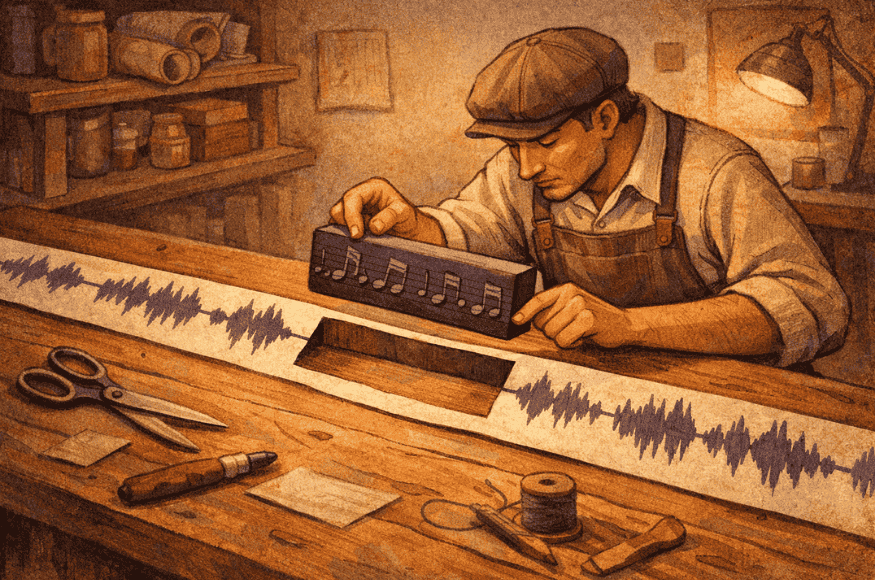
In many broadcasting workflows, this is not just a convenience but a requirement: music may be included in live transmissions, but archived or on-demand versions are often not permitted to make that music permanently available. Automatic music removal ensures compliance while keeping spoken content intact.
Designed for Longer Music Segments
The new Cut Music option is optimized for longer music tracks, like full songs or extended musical interludes. Typical use cases include:
- Radio broadcasts with songs between interviews
- Live shows with music breaks
- Recordings where only spoken content should remain
Once enabled, Auphonic detects these music sections and removes them for you.
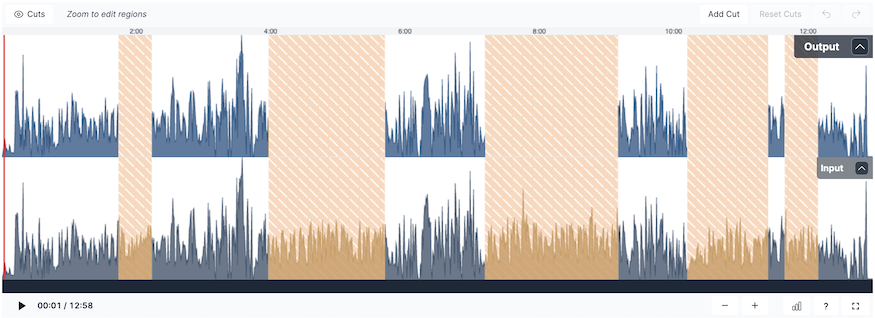 Auphonic Editor with Cut Music Segments
Refine your Automatic Results in the Auphonic Editor
The new Music Cutting Feature automatically cuts music segments, and lets you refine these cuts in the Auphonic Editor. Auphonic does the heavy lifting, and you decide exactly what stays and what goes.
- Zoom in and click on a cut to select it
- Activate or Deactivate Cuts
- Create your own custom cuts
- Adjust cut regions to your liking and refine by ear
This combined workflow is the same philosophy we use in our Denoising Region Editor, where you refine the automatic denoising Auphonic applies to get exactly the output you're looking for.
NOTE: When you're happy with your cuts, press Apply Changes to reprocess with your new edits. Reprocessing your production will not cost any extra credits.
Cut Music vs. Speech Isolation
It’s important to distinguish between removing entire music tracks and removing background music.
You’ll find the option to remove music segments in the Automatic Cutting section of your production settings. Simply enable Cut Music, process your audio, and Auphonic will take care of the rest.

If you want to remove background music from your recording, use Noise Reduction > Speech Isolation. Here is additional information on how Auphonic Denoising works, and how we tackle the complex problem of automatically improving audio recordings.
As always, the goal is to save time while keeping full control over your final output.
Feedback
We’re continuously improving Auphonic based on real production workflows. If you have feedback, ideas or want us to think of other features, please reach out via our Contact Page.
You can always send us an email to support@auphonic.com, or give feedback on our results page.